
Threat Awareness: Who Attacks, How They Get In, and Where You Are Exposed
Most threat awareness training starts with a list of scary words. Ransomware. Zero-day. Botnet. Supply chain. The list grows, the audience glazes over, and nobody leaves with a better idea of what to do on Monday morning.
That is the wrong order. Threat awareness is not a vocabulary test. It is the habit of seeing an attack as a chain of ordinary decisions: someone with a motive chooses a method, finds an exposure, and turns it into impact. Break one link and the attack often fails.
Consider a finance employee who receives an email that appears to come from the CEO. The message is urgent, specific, and polite. It asks for a payment to a new vendor. There is no malware, no exploit, and no obvious typo. The employee approves the transfer. The breach is real, but nothing in the traditional "cyber" toolkit was hacked. A person was.
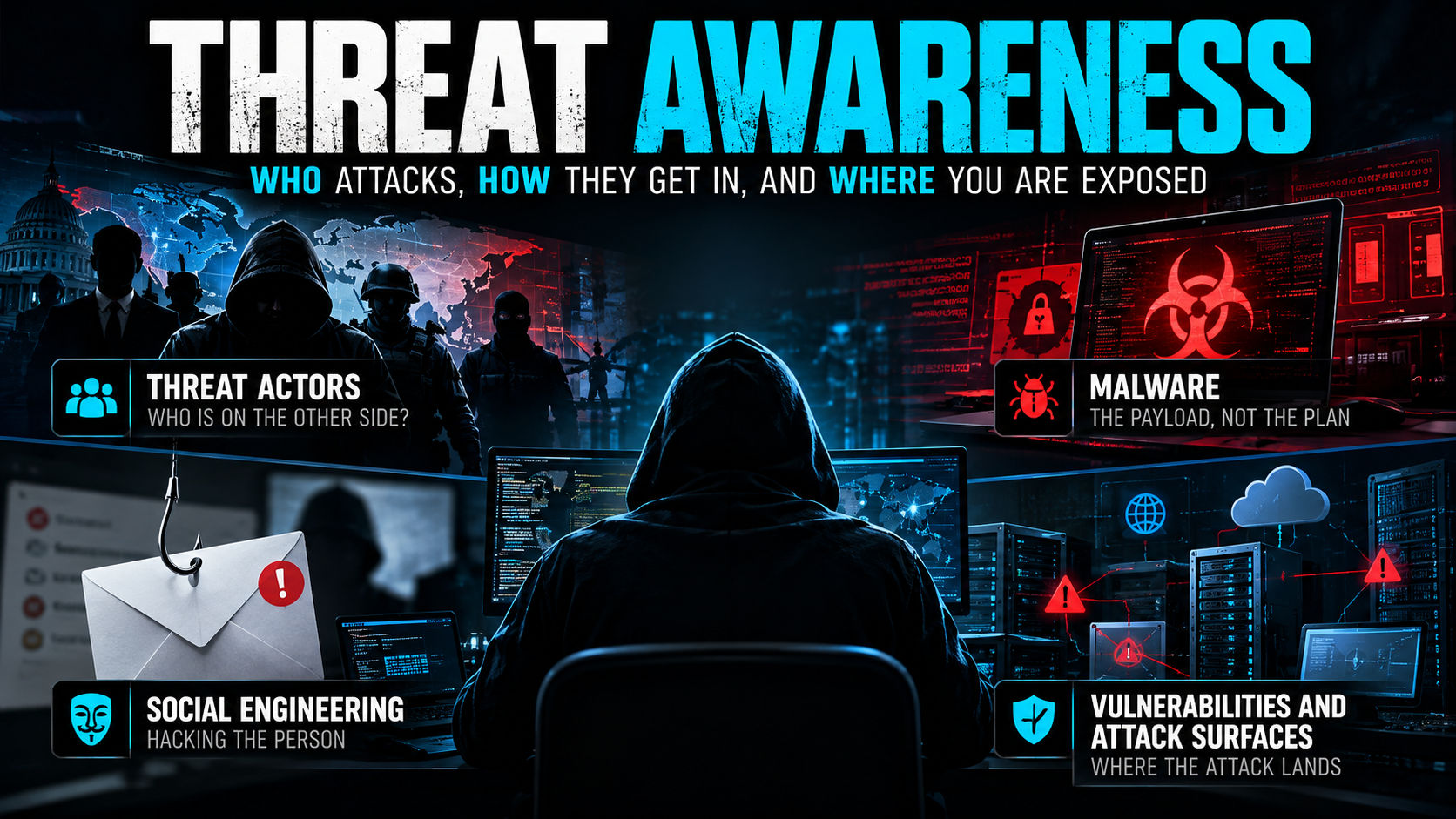
This guide covers the four pieces of that chain: the actors, the malware, the social engineering, and the vulnerabilities and attack surfaces they exploit. The goal is not to make you afraid of everything. It is to help you recognize what is likely, what is possible, and where a small control can make a large difference.
The scale is not abstract. IBM's 2026 Cost of a Data Breach Report put the global average breach cost at $4.99 million, a 12% increase and a record high. The FBI's Internet Crime Complaint Center received more than one million complaints in 2025 and recorded $20.877 billion in losses. Verizon's 2026 Data Breach Investigations Report found that 48% of breaches involved ransomware, and 31% began with exploitation of a software vulnerability.
Before we go further, a note on terms. A threat is something that can cause harm. A vulnerability is a weakness that can be exploited. Risk is the chance and impact of that happening. Threat awareness means understanding all three—not just the threat.
What's inside
- Threat actors: who is on the other side?
- Malware: the payload, not the plan
- Social engineering: hacking the person
- Vulnerabilities and attack surfaces: where the attack lands
- Putting it together: a threat-awareness habit
- Key takeaways
- Sources and further reading
Threat actors: who is on the other side?
A threat actor is a person or group that poses a threat. That sounds circular, so think of it as a profile with four dimensions: motive, capability, access, and patience.
- Motive is what they want: money, ideology, intelligence, disruption, revenge, or simply the challenge.
- Capability is what they can do: from off-the-shelf phishing kits to custom malware and zero-days.
- Access is how close they already are: an outsider, an insider, a vendor, or someone who has stolen a valid account.
- Patience is how long they are willing to wait: a smash-and-grab versus a months-long espionage campaign.
Those dimensions matter more than labels. A low-capability actor with legitimate access can do more damage than a highly capable actor with none. A patient attacker with a valid account can be harder to detect than a noisy one breaking down the front door.
Nation-states and state-sponsored groups
Nation-states are usually after information, influence, or strategic advantage. They may steal intellectual property, map critical infrastructure for future conflict, or collect intelligence on governments, journalists, and dissidents. Their timelines are measured in months or years, and they often prefer to stay quiet rather than trigger a response.
Their methods tend to include spear phishing, credential theft, supply-chain compromise, zero-days, custom malware, and "living off the land"—using legitimate tools already present on the victim's systems. Stuxnet showed how far a state can go to cause physical damage. SolarWinds showed how a compromised software update can reach thousands of customers at once. Salt Typhoon, attributed by Western governments to China, penetrated major U.S. telecommunications networks. Volt Typhoon, also linked to China, has been described as pre-positioning access inside critical infrastructure.
Attribution is difficult and often political. Governments and security firms may disagree about who did what, and attackers deliberately plant false flags. Treat attribution as intelligence, not as a simple fact. More importantly, do not wait for attribution before you contain an incident.
Cybercriminals and ransomware crews
Most attacks against ordinary businesses are financially motivated. The modern criminal ecosystem is specialized. Initial access brokers steal footholds and sell them. Ransomware affiliates break in and deploy payloads. Negotiators handle payments. Money launderers move the proceeds. Ransomware-as-a-service lets people with limited technical skill rent the tools and infrastructure.
Their methods are familiar because they work: phishing, stolen credentials, exposed remote-access services, and exploitation of unpatched internet-facing systems. Once inside, they steal data, encrypt it, and demand payment. Double extortion means they threaten to publish the data even if you pay for the decryption key. Triple extortion adds DDoS attacks, regulatory complaints, or direct harassment of customers.
Colonial Pipeline paid a $4.4 million ransom after a ransomware attack shut down a 5,500-mile fuel pipeline. Change Healthcare, hit by ransomware in February 2024, exposed the data of about 190 million people. The MOVEit campaign used a zero-day in a file-transfer product to reach thousands of organizations and tens of millions of individuals.
These groups care about return on investment. If you are hard to break into, slow to pay, and quick to recover, you become a worse bet.
Hacktivists
Hacktivists are driven by ideology rather than profit. They may use DDoS attacks, website defacement, doxxing, and data leaks to make a political point or damage a target's reputation. Capability varies widely: some are skilled, many are not, and some are loosely aligned with state interests.
Disruption can be the point. A hospital, a government office, or a company associated with a controversial project may be targeted even if it holds no valuable data. The defensive priority is resilience, communications, and the ability to restore service quickly.
Insiders
Insiders have something no external attacker has: legitimate access. They may be malicious, negligent, or compromised.
- A departing employee downloads the customer list before leaving.
- A developer pushes a secret to a public repository.
- A help-desk employee is tricked into resetting a password for an attacker.
- A contractor keeps access long after the project ends.
Many insider incidents are accidents, not betrayal. Controls like least privilege, offboarding checklists, separation of duties, and a no-blame reporting culture matter more than surveillance. The goal is to limit what any one person can do and to notice unusual behavior without treating everyone as a suspect.
Commodity criminals and script kiddies
Not every attacker is a mastermind. Automated scanners crawl the internet looking for unpatched services, default passwords, and exposed files. Phishing kits and credential-stuffing tools are cheap. A vulnerable server may be found within hours of being connected.
These attackers may not know or care who you are. That is the point. They are looking for easy victims, and many organizations are easy because of basic gaps: no MFA, an old VPN appliance, an exposed database, or a shared password that never changed.
Supply chain and third parties
Supply-chain attacks do not fit neatly into a "who" category, because the attacker may be a criminal group, a nation-state, or an insider at a vendor. What matters is the path: a compromised software update, a vulnerable file-transfer product, a malicious open-source contribution, or a managed service provider with broad access.
SolarWinds, MOVEit, and the xz-utils backdoor are three different versions of the same idea. Trust is concentrated in a small number of vendors, projects, and platforms. Attackers exploit that concentration because one compromise can reach many victims.
Your security is partly the security of everyone you trust. That does not mean trusting no one. It means knowing who has access, what they can do, and how you would contain a problem that starts with them.
Competitors and corporate espionage
Less common than crime, but real. Trade secrets, pricing, customer lists, and merger plans have value. Corporate espionage may look like an insider theft, a targeted phishing campaign, or a long-running intrusion that never deploys ransomware.
Not every attacker wants to encrypt your files. Some want to read your email, copy your designs, and leave without being noticed.
Ethical researchers
Security researchers are not adversaries, but they find vulnerabilities. Bug bounty programs, responsible disclosure, and penetration tests turn their work into defense. The line is authorization: testing a system without permission is unauthorized access, not research—and it is illegal in most jurisdictions.
A quick comparison
| Actor | Main motive | Typical methods | What they want | Defensive focus |
|---|---|---|---|---|
| Nation-state | Espionage, influence, strategic advantage | Spear phishing, zero-days, supply chain, long-term access | Data, access, disruption | High-value asset protection, segmentation, supply-chain security |
| Cybercriminal | Money | Phishing, stolen credentials, ransomware, extortion | Payment, data, disruption | MFA, patching, backups, detection |
| Hacktivist | Ideology, attention | DDoS, defacement, leaks, doxxing | Visibility, disruption | Resilience, communications, DDoS protection |
| Insider | Revenge, money, convenience, mistake | Data theft, misuse of access, accidental exposure | Data, access, leverage | Least privilege, offboarding, monitoring |
| Commodity criminal | Money, opportunity | Scanners, phishing kits, credential stuffing | Easy victims | Baseline hygiene, patching, MFA |
| Supply chain | Varies | Compromised vendor, dependency, or update | Access to many victims | Vendor risk, SBOM, segmentation |
What to do with this
Match controls to the actors you are most likely to face. A small business is more likely to be hit by commodity crime than by a custom APT. A defense contractor has a different threat model. Do not buy for the scariest actor and ignore the most likely one.
The practical priorities are boring, and that is why they work: MFA, patching, backups, least privilege, email filtering, and a tested incident response plan. Those controls raise the cost for criminals and shrink the opportunities for everyone else.
Malware: the payload, not the plan
Malware is short for malicious software. It is an umbrella term for code that steals, encrypts, spies, disrupts, or gives an attacker control. The name of a malware family is less important than what it does and how it arrives.
The first question to ask is not "What is it called?" It is "What behavior would we need to see to stop it?"
The main families
- Virus: malicious code that attaches to a legitimate file or program and spreads when the host is executed. It usually needs a user action, such as opening an attachment.
- Worm: self-replicating malware that spreads across networks without user interaction. WannaCry was a worm.
- Trojan: malware disguised as legitimate software. The user installs it voluntarily, believing it is a game, a utility, or an update.
- Ransomware: malware that encrypts data, steals it, or both, and demands payment for restoration or silence.
- Spyware: software that secretly collects information—browsing habits, messages, credentials, or keystrokes.
- Infostealer: a particularly damaging type of spyware that grabs saved passwords, browser cookies, session tokens, and cryptocurrency wallets.
- Botnet: a network of infected devices controlled remotely. Botnets are used for DDoS, spam, credential stuffing, and crypto mining.
- Rootkit: malware designed to hide deep in the operating system, often at the kernel level.
- Fileless malware: malware that runs in memory and abuses legitimate tools such as PowerShell, WMI, or scheduled tasks. It leaves fewer files for antivirus to scan.
- Wiper: malware designed to destroy data. NotPetya looked like ransomware but was a wiper.
- Cryptominer: malware that steals computing power to mine cryptocurrency. It is often noisy and resource-hungry, but it can also run quietly.
- Remote access trojan (RAT): malware that gives an attacker interactive control of a device, often used for hands-on-keyboard intrusions.
- Loader or dropper: malware whose main job is to deliver another payload. Emotet and QakBot are well-known examples from the banking-trojan era.
- Logic bomb: malicious code that triggers when a condition is met, such as a date or the removal of an employee account.
- Adware: unwanted advertising software. It is not always malicious, but it is often bundled with spyware and can be a delivery mechanism.
The categories overlap. A single incident can involve a loader, an infostealer, and ransomware. The labels are useful for understanding behavior, not for drawing clean lines.
How malware arrives
- Phishing attachments and links. A document, archive, or link that leads to a download.
- Malvertising and fake search results. Paid ads or poisoned search results that point to malicious installers.
- Fake updates and pirated software. A "security update" or "cracked" application that installs something else.
- USB drives and removable media. Still relevant in industrial, air-gapped, and social-engineering scenarios.
- Exploitation of internet-facing vulnerabilities. A vulnerable VPN, email server, or web application.
- Supply-chain compromise. A trusted update or dependency that turns malicious.
- Social engineering to run a command. A fake support call that talks someone through opening a terminal and pasting a command.
The delivery is often mundane. The payload may be sophisticated, but the front door is usually something people do every day.
The lifecycle
Once executed, malware rarely does one thing. A typical intrusion looks like a sequence: establish a foothold, persist, escalate privileges, evade defenses, steal credentials, move laterally, exfiltrate data, and then encrypt or destroy.
MITRE ATT&CK is a useful map of these behaviors. Its Enterprise matrix organizes them into 14 tactics, from reconnaissance and resource development through initial access, execution, persistence, privilege escalation, defense evasion, credential access, discovery, lateral movement, collection, command and control, exfiltration, and impact.
Defenders can interrupt the chain at any point. Patching blocks initial access. EDR catches suspicious execution. MFA and session protection limit credential theft. Segmentation limits lateral movement. Backups reduce the impact of encryption.
Examples that teach
WannaCry combined a worm and ransomware. It spread through a vulnerability in SMB, the Windows file-sharing protocol, and hit more than 200,000 computers in 150 countries, including a large part of the UK's National Health Service. A patch existed. The lesson is not that ransomware is unstoppable. It is that a known vulnerability plus a flat network equals rapid spread.
NotPetya looked like ransomware but functioned as a wiper. It caused an estimated $10 billion in damage worldwide and hit Maersk, Merck, and FedEx, among others. The label on the payload can be wrong. Impact is what matters.
Infostealers steal browser cookies and session tokens. That lets an attacker take over an account without needing the password. It is one reason "I have MFA" is not the same as "my session is safe."
Ransomware is a business model as much as a payload. Encryption is the visible part. The data theft is the leverage. The negotiation is the monetization.
Defenses that matter
- Patch internet-facing systems and prioritize vulnerabilities that are known to be exploited.
- Use EDR or behavior-based endpoint protection, not just signature-based antivirus.
- Allowlist applications where practical.
- Filter email and web traffic, and disable macros and unnecessary scripts.
- Apply least privilege and segment networks.
- Keep offline or immutable backups and test restores.
- Protect credentials with phishing-resistant MFA and a password manager.
- Have an incident response plan that includes isolation, evidence preservation, and communication.
Antivirus is one layer. It is not a strategy. The most valuable malware defense is often identity: if the attacker cannot use stolen credentials, the payload is less useful.
Social engineering: hacking the person
Social engineering is the use of deception to get someone to do something: click, open, pay, approve, share, or let someone in. It is not a technology problem. It is an influence problem, and it works because normal people are helpful, busy, and trained to respect authority.
Attackers exploit cognitive shortcuts. Authority: "I'm the CFO." Urgency: "This needs to go out before the close of business." Fear: "Your account will be suspended." Curiosity: "Here is the salary spreadsheet." Reciprocity: "I did you a favor; now do one for me." Social proof: "Everyone else has already approved it." Familiarity: a logo, a signature, a voice that sounds like someone you know.
A message that arrives at the right moment—when someone is waiting for an invoice, a delivery, or a job application—does not need to be perfect. It needs to be plausible.
The goal is not to make people suspicious of everything. It is to make verification routine.
The channels
Email is still the most common channel, but it is not the only one. Attackers use phone calls, text messages, chat apps, social media, calendar invites, collaboration platforms, search ads, QR codes, and in-person visits. The channel is whatever you trust.
Common plays
- Phishing: a false message that asks you to click, open, or log in. Mass phishing is generic; spear phishing is tailored to a person or team; whaling targets executives.
- Business email compromise (BEC): impersonating an executive, vendor, or colleague to redirect a payment or steal data. It often involves no malware at all.
- Vishing: voice phishing, often a fake IT support call, bank call, or executive request.
- Smishing: phishing by SMS, including fake delivery notices and MFA code requests.
- Quishing: malicious QR codes on posters, parking meters, restaurant tables, or in emails.
- Pretexting: inventing a scenario—an audit, a delivery, a legal request—to justify the ask.
- Baiting: leaving a malicious USB drive or offering a free download.
- Tailgating: following someone through a locked door.
- Angler phishing: fake customer-support accounts on social media that respond to complaints and ask for credentials or payment.
- Deepfake fraud: AI-generated voice or video impersonation.
- MFA fatigue: flooding a user with push notifications until they approve one out of annoyance or confusion.
- Adversary-in-the-middle (AiTM) phishing: a proxy sits between the user and the real login page, captures the password and session cookie, and uses the cookie to bypass MFA.
The common thread is not technology. It is a believable story delivered at the right moment.
BEC deserves its own paragraph
BEC is often pure social engineering. There is no malware. The attacker impersonates an executive or vendor, or compromises a real mailbox, and asks for a payment or a change to bank details. Because the email may come from a real account, technical filters may not catch it.
The most reliable defense is process. Verify payment changes out of band, using a phone number you already have—not the number in the email. Require dual approval for large payments. Treat urgency and secrecy as red flags. Make it normal to say, "I need to verify this before I proceed."
Deepfakes and the limits of "I saw it myself"
In 2024, an employee at the engineering firm Arup transferred about $25.6 million after a video call with people who looked and sounded like the company's chief financial officer and colleagues. The faces and voices were synthetic.
A familiar face on a video call is no longer proof of identity. For high-value requests, verify through a separate channel, use pre-agreed verification questions for sensitive transactions, and limit how much personal and organizational detail is publicly available. Do not rely on a single factor, even a face.
MFA is strong, but not all MFA is equal
Microsoft researchers found that MFA reduced the risk of compromise by 99.22% across the population they studied and by 98.56% in cases of leaked credentials. That is a strong argument for MFA.
But MFA fatigue and AiTM phishing can defeat weaker forms. The hierarchy matters:
- Passkeys or hardware security keys (FIDO2/WebAuthn): phishing-resistant because the credential is bound to the legitimate site.
- Authenticator apps with number matching: better than SMS, still vulnerable to some real-time phishing.
- SMS one-time codes: better than nothing, but vulnerable to SIM swapping and interception.
- No MFA: not a plan.
Defenses that work
- Verify unusual requests through a second channel.
- Require dual approval and callback verification for payments and bank-detail changes.
- Use phishing-resistant MFA for email, cloud accounts, and administrators.
- Give people password managers so they do not reuse credentials.
- Enable SPF, DKIM, and DMARC, and use external-sender warnings and link protection.
- Train people in short, relevant sessions—not annual generic modules.
- Run phishing simulations that measure reporting, not just clicks, and never punish people for reporting.
- Make reporting a one-click action, and close the loop so people see that it mattered.
- Rehearse high-risk scenarios, such as a deepfake payment request or a help-desk password reset.
The goal is not zero clicks. It is faster detection and fewer high-impact actions.
Vulnerabilities and attack surfaces: where the attack lands
A vulnerability is a weakness. An attack surface is the set of places where an attacker can interact with you. A breach happens when an actor with intent finds a vulnerability they can reach on an attack surface they can access.
A few definitions are worth keeping straight:
- Vulnerability: a flaw in software, hardware, configuration, or process.
- Exploit: the technique or code that abuses the flaw.
- Attack surface: all the points of interaction—applications, APIs, identities, networks, devices, people, vendors, and physical spaces.
- Attack vector: the path an attacker uses to reach the target.
- Exposure: whether the vulnerability is reachable and usable in practice.
Not every vulnerability is exposed. Not every exposed vulnerability is exploitable. Not every exploitable vulnerability matters equally. Threat awareness is largely the skill of telling those apart.
The usual suspects
- Software defects: memory-safety bugs, injection flaws, insecure deserialization, race conditions, and logic errors.
- Misconfiguration: default credentials, open cloud storage, verbose error messages, exposed admin panels, and permissive access policies.
- Identity weaknesses: missing MFA, reused passwords, overprivileged accounts, stale accounts, and service accounts with broad rights.
- Unpatched systems: known vulnerabilities for which a patch exists but has not been applied.
- Network exposure: RDP, SMB, databases, IoT devices, and shadow IT facing the internet.
- Web and API flaws: the OWASP Top 10:2025 includes broken access control, security misconfiguration, software supply-chain failures, cryptographic failures, injection, insecure design, authentication failures, integrity failures, logging and alerting failures, and mishandling of exceptional conditions.
- Supply-chain weaknesses: vulnerable dependencies, compromised build systems, risky vendors, and abandoned open-source projects.
- Physical exposure: unlocked doors, unattended devices, and removable media.
- Human exposure: phishing, weak verification processes, and pressure to bypass controls.
A layer-by-layer view
| Layer | What exposure looks like | Where to start |
|---|---|---|
| Identity | No MFA, stale accounts, excessive admin rights | MFA, least privilege, joiner/mover/leaver process |
| Endpoint | Unpatched OS, local admin, disabled security tools | Patching, EDR, hardening, disk encryption |
| Network | Exposed RDP/VPN, flat internal network | Close unused ports, segment, use zero-trust access |
| Application | Injection, broken access control, insecure APIs | Secure development, testing, code review |
| Cloud | Public buckets, overpermissive roles, unmanaged keys | Configuration baselines, CSPM, key rotation |
| Supply chain | Vulnerable dependency, vendor with broad access | SBOM, vendor risk review, segmentation |
| Physical | Tailgating, lost devices, unlocked screens | Badges, screen locks, encryption, awareness |
| People | Phishing, payment fraud, help-desk impersonation | Training, verification, phishing-resistant MFA |
Zero-day versus n-day
A zero-day is a vulnerability that is unknown to the vendor or has no patch yet. Zero-days get the headlines because they are rare, expensive, and hard to defend against.
An n-day is a vulnerability for which a patch exists but has not been applied. N-days are far more common in real attacks. Verizon's 2026 Data Breach Investigations Report found that software vulnerability exploitation became the top initial-access route, at 31% of breaches, overtaking stolen credentials. That is not a zero-day epidemic. It is a patching and exposure problem.
Three vulnerability metrics are useful together:
- CVSS measures severity.
- EPSS estimates the probability that a vulnerability will be exploited.
- CISA's Known Exploited Vulnerabilities (KEV) catalog confirms that exploitation is happening in the wild.
A 9.8 CVSS on an isolated test server may matter less than a 7.5 on an internet-facing VPN. Use the metrics to prioritize, not to worship a number.
Attack surface management
Attack surface management is the discipline of discovering, understanding, and reducing exposure. It is not a product you install once. It is a cycle:
- Inventory. List hardware, software, cloud accounts, identities, APIs, data stores, and vendors.
- Discover external exposure. Find domains, IP addresses, certificates, exposed services, and leaked credentials.
- Map internal paths. Understand admin rights, file shares, trust relationships, and lateral movement routes.
- Reduce. Remove unused services, close ports, disable accounts, consolidate tools, and delete data you do not need.
- Monitor. Continuously scan for new assets and changes, and watch logs for suspicious behavior.
- Test. Use penetration tests, red-team exercises, bug bounties, and tabletop scenarios.
You cannot protect what you cannot see. You also cannot protect what you refuse to turn off.
Case studies
Equifax (2017). Attackers exploited an unpatched Apache Struts vulnerability and exposed the personal data of about 147 million people. A patch existed. The failure was process.
Change Healthcare (2024). Attackers entered through a remote-access portal that was not protected by multi-factor authentication, then disrupted claims and payments across the U.S. healthcare system and exposed data on about 190 million people. A basic identity control would have changed the attack path.
MOVEit (2023). A zero-day in a managed file-transfer product allowed attackers to reach about 2,700 organizations and 93.3 million individuals. Even mature vendors can be the exposure. Third-party risk is your risk.
xz-utils (2024). A backdoor was planted in an open-source compression library through a long-term contributor who gained maintainer trust. It was caught before widespread exploitation. Supply-chain trust is concentrated, and scrutiny matters.
These are different failures, but the pattern is the same: an exposure that was known, reachable, or trusted—and a control that was missing.
Defenses that matter
- Maintain an asset inventory with clear ownership.
- Patch internet-facing systems and known exploited vulnerabilities first.
- Use secure configuration baselines, such as the CIS Benchmarks.
- Enforce least privilege and phishing-resistant MFA.
- Segment networks and adopt zero-trust access for sensitive applications.
- Run a vulnerability management lifecycle: discover, prioritize, remediate, verify.
- Use SBOMs and vendor risk reviews for software and services.
- Reduce the attack surface by removing what you do not need.
- Test with penetration tests and bug bounties.
- Log and monitor the systems that matter.
The goal is not zero vulnerabilities. It is fewer exposed ones, fixed faster, with detection when something slips through.
Putting it together: a threat-awareness habit
The four pieces connect. An actor chooses a vector, exploits a vulnerability, delivers a payload, and creates impact. Threat awareness is the ability to tell that story before it happens—and to spot where you can break the chain.
A simple model:
Actor → Vector → Vulnerability or exposure → Payload → Impact
Three examples:
- Cybercriminal → phishing email → unpatched browser and no MFA → infostealer → account takeover → BEC.
- Nation-state → VPN vulnerability → unpatched appliance → web shell → lateral movement → espionage.
- Insider → legitimate access → misconfigured share → data theft → regulatory and reputational harm.
Each arrow is a control point. Email filtering, patching, MFA, segmentation, monitoring, and backups all interrupt the chain at different stages.
Threat modeling without a committee
You do not need a formal program to start. Pick one system and ask four questions—a framing popularized by Adam Shostack:
- What are we building?
- What can go wrong?
- What are we going to do about it?
- Did we do a good job?
For software, STRIDE is a useful checklist: spoofing, tampering, repudiation, information disclosure, denial of service, and elevation of privilege. For adversary behavior, MITRE ATT&CK helps you map what you would detect and what you would miss.
The point is not to produce a beautiful document. The point is to make one risk visible and fix it.
Metrics that tell you something
- Percentage of accounts with phishing-resistant MFA.
- Patch latency for internet-facing systems and KEV vulnerabilities.
- Number of exposed services and unknown assets.
- Phishing reporting rate, not just click rate.
- Mean time to detect and mean time to respond.
- Backup restore time.
- Number of third parties with privileged access.
Measure the basics. A dashboard full of alerts is not the same as a security program.
Common mistakes
- Memorizing malware names instead of understanding behaviors.
- Assuming all attackers are geniuses. Many are opportunistic.
- Blaming users instead of designing processes that make verification easy.
- Buying tools without the process to use them.
- Treating compliance as security.
- Ignoring identity, supply chain, and physical exposure.
- Treating threat awareness as a one-time training module.
Threat awareness is a habit of asking, "How would this be attacked?" It is not pessimism. It is a way to make better decisions with limited time and money.
A short checklist
For individuals
- Use phishing-resistant MFA and a password manager.
- Update your devices and browser.
- Verify payment and identity requests through a second channel.
- Report suspicious messages instead of quietly deleting them.
- Check whether your accounts have appeared in a breach.
For teams
- Inventory assets, identities, and vendors.
- Patch internet-facing systems and known exploited vulnerabilities.
- Enforce MFA and least privilege.
- Filter email and web traffic, and authenticate your domain.
- Keep offline or immutable backups and test restores.
- Write and rehearse an incident response plan.
- Train people to report, not to hide mistakes.
- Review third-party access regularly.
- Run a tabletop exercise at least once a year.
Key takeaways
Threat actors differ in motive, capability, access, and patience. Match controls to the actors you are most likely to face, not just the scariest ones.
Malware is a payload, not a plan. Behavior and delivery matter more than the family name.
Social engineering targets trust. Verification, not paranoia, is the defense.
Vulnerabilities are flaws; attack surfaces are opportunities. Exposure is the bridge between them.
Most incidents chain ordinary weaknesses. A known vulnerability, a missing MFA prompt, a convincing email, and a flat network can be enough.
Threat awareness is a practice. Inventory what you have, prioritize what is exposed, verify what is requested, and rehearse what you would do.
Sources and further reading
- IBM Security and Ponemon Institute, Cost of a Data Breach Report 2026
- Verizon, 2026 Data Breach Investigations Report
- FBI Internet Crime Complaint Center, 2025 Internet Crime Report
- CISA, Known Exploited Vulnerabilities Catalog
- MITRE, ATT&CK Enterprise Matrix
- OWASP, Top 10:2025
- NIST, Cybersecurity Framework 2.0
- NIST, SP 800-63B-4, Digital Identity Guidelines
- NIST, SP 800-61 Rev. 3, Incident Response Recommendations
- Microsoft Research, "How effective is multifactor authentication at deterring cyberattacks?"
- CISA, MOVEit Transfer exploitation advisory AA23-158A
- CISA, Salt Typhoon advisory AA25-239A
- CISA, XZ Utils supply-chain compromise alert
- U.S. Congress, Change Healthcare cyberattack briefing
- FTC, Equifax Data Breach Settlement
- UK National Audit Office, Investigation: WannaCry cyber attack and the NHS
- Wired, "The Untold Story of NotPetya"
- CNN, "Finance worker pays out $25 million after video call with deepfake 'chief financial officer'"
- Center for Internet Security, CIS Critical Security Controls
- Center for Internet Security, CIS Benchmarks